Date input - Usage
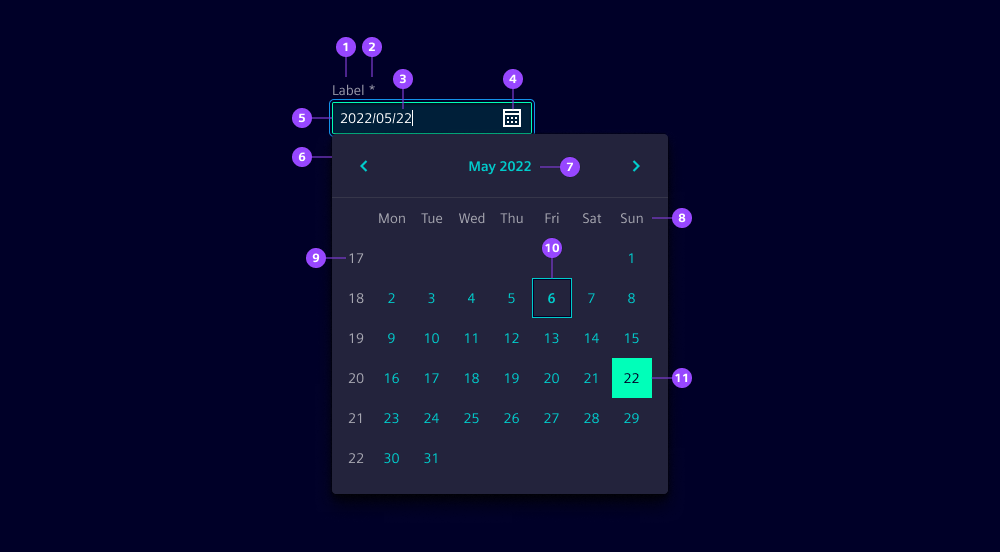
- Label
- Required field indicator
- Current value
- Calendar icon button
- Input field
- Date dropdown
- Month and year selection
- Weekdays
- Week numbers
- Current day
- Selected date or date range
Options
- Label: See form field.
- Required: See form field.
- Helper text: See form field.
- Feedback text: See form field.
- Show text as tooltip: See form field.
- Placeholder: See form field. We typically use a placeholder to show an example date format to assist users when the field is empty.
- Text alignment: See form field (by default at start).
- Error message: Feedback text when date is not parsable. We typically use this to inform users that the entered date format is incorrect and guide them to enter a valid date.
- Format: Specify the date format, default
yyyy/LL/ddto ensure that dates are entered in a consistent and recognizable format.
Behavior in context
- Interaction:
- Click or focus opens the date picker.
- Use mouse or keyboard arrows to navigate to the desired date.
- Selecting a date in date picker with mouse click or enter closes the date picker.
- Typing a date into input field with valid format closes the date picker.
- Escape key closes the date picker.
- Validation:
- Use feedback text for validation types valid, info, warning and invalid.
- Invalid feedback is automatically provided if the entered date is not parsable.
- Refer to the validation chapter for detailed guidelines.
- Overflow: The input field should be wide enough to display the full date without truncation.
- Alignment: Date inputs are always aligned to the left.
States
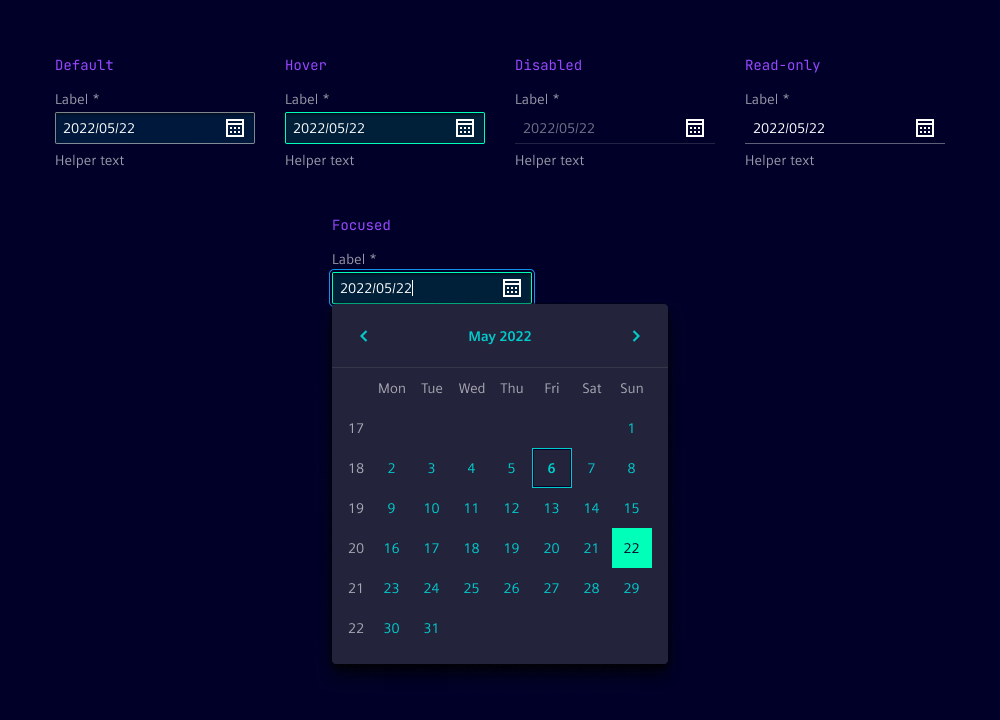
Date input has five states: Default, hover, disabled, read-only and focused.
Dos and Don’ts
- Do use consistent date formats throughout the application to avoid confusion
- Do use separate inputs for start and end dates to simplify date ranges
- Do provide clear instructions, such as “Enter the date in yyyy/mm/dd format”
- Do consider localization to adapt date formats to local conventions
- Don’t use ambiguous formats like 09/08/2006 without giving clear context
- Don’t allow free text without validation or formatting guidance