HTML Table - Usage
HTML tables display structured, tabular data enabling users to compare, sort, and filter information. In our applications, we use tables to present datasets where users need to quickly locate items and perform actions. Typically, we use tables for comparing data across rows and columns. For more complex datasets with advanced features, we recommend using data grids.
note
The HTML table is not a dedicated web component, but rather styling applied to the standard HTML <table> element. For a complete reference of all native HTML table properties and options, see the MDN documentation.
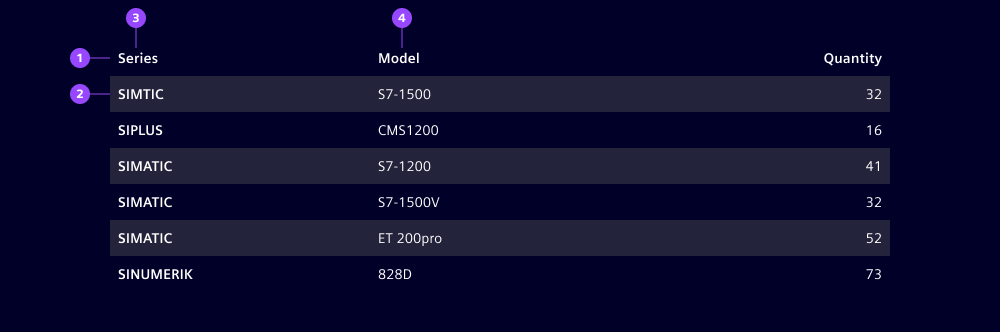
- Header row
- Body row
- Leading column
- Column
Options
- Striped: Use alternating row colors to improve readability.
Behavior in context
- Interaction: By default, HTML tables do not include interactive features like sorting or selection. However, we can enhance tables with JavaScript to add sorting by clicking column headers and row selection via checkboxes. For more advanced interactions (e.g. filtering, grouping, inline editing), we recommend using data grids instead.
- Overflow: By default, text wraps within cells. For tables with many columns, enable horizontal scrolling to maintain readability.
Dos and Don’ts
- Do display only essential information
- Do design tables to adapt responsively to different screen sizes, e.g. by hiding less critical columns on smaller screens, enabling horizontal scrolling or wrapping content within cells
- Don’t use tables for unstructured or hierarchical data, use event lists or trees instead
- Don’t rely solely on color for status; also use icons or labels for additional transparency